

View Categories

Setting up an Auto-Responder

If you will be away and would like to set up an auto-responder for your email account, log in to the webmail and follow the steps below.
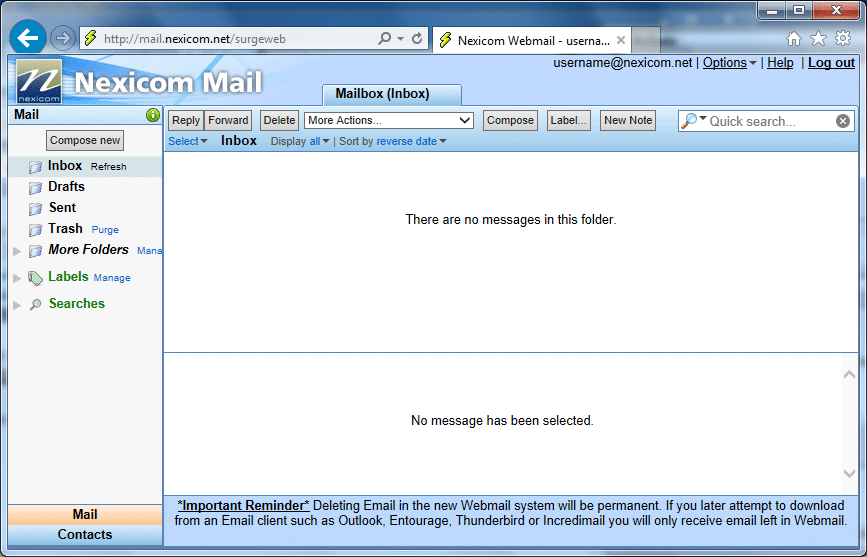
1. Click the Options link located at the top right corner of the screen.
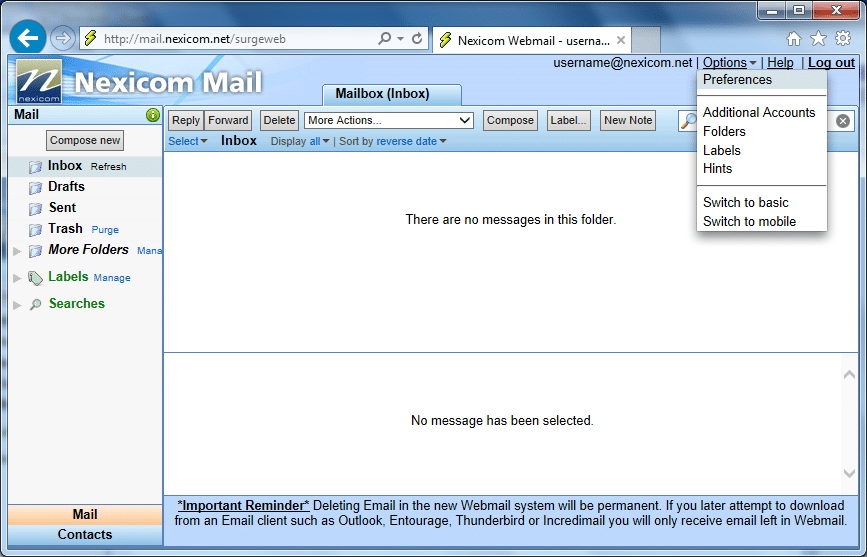
2. Click Preferences.
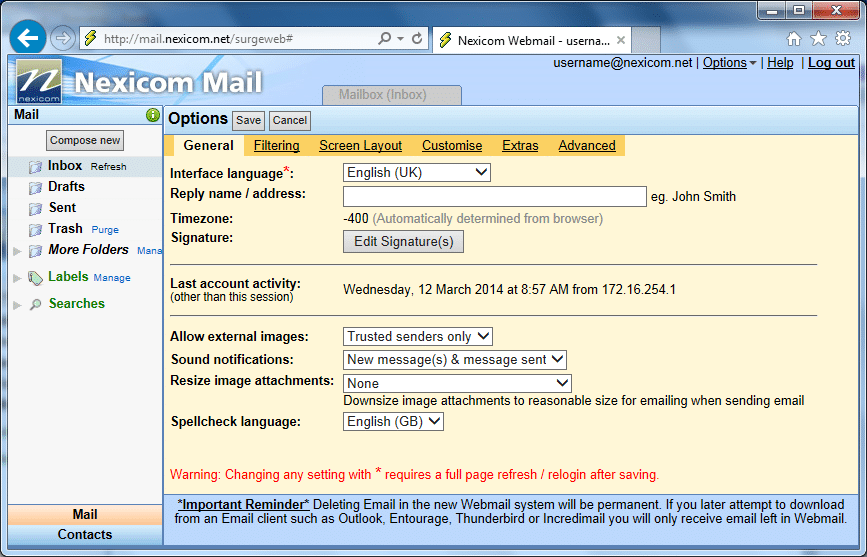
3. Click on the Filtering tab.
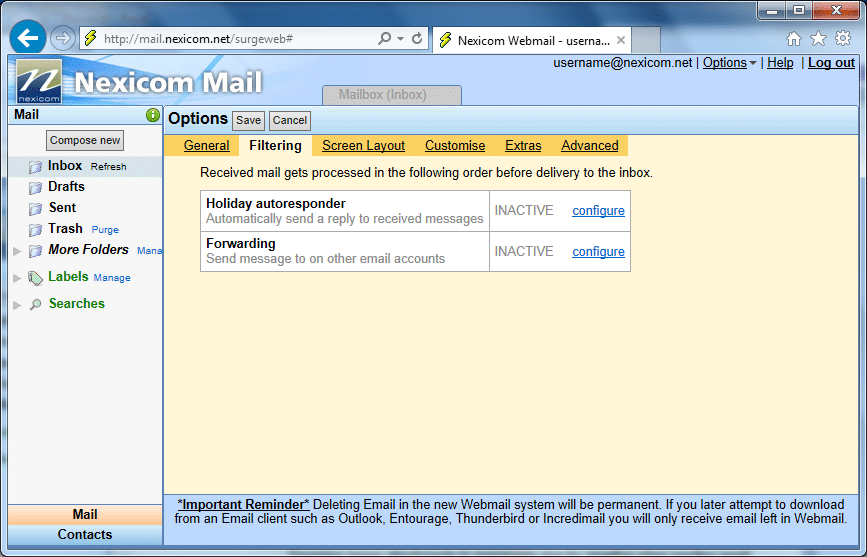
4. Click on the configure link that appears to the right side of the Holiday autoresponder heading.
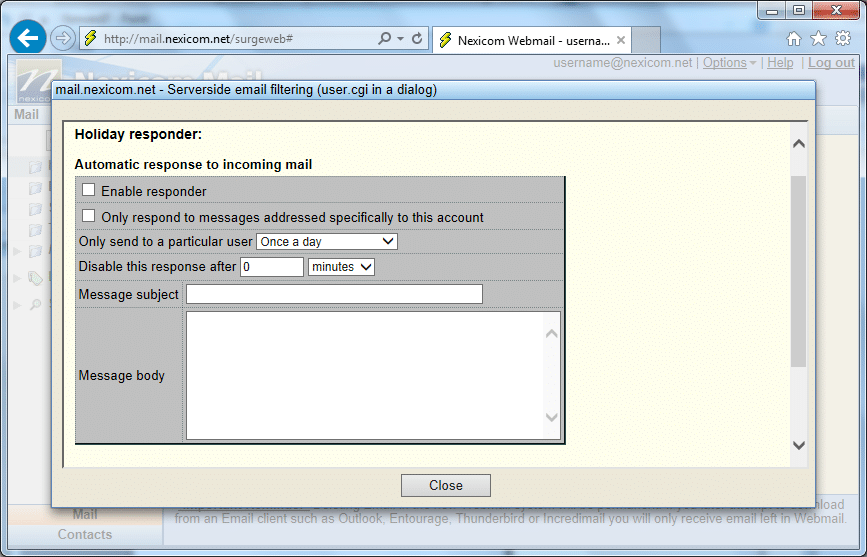
5. Click to add a check mark in the box labeled Enable responder.
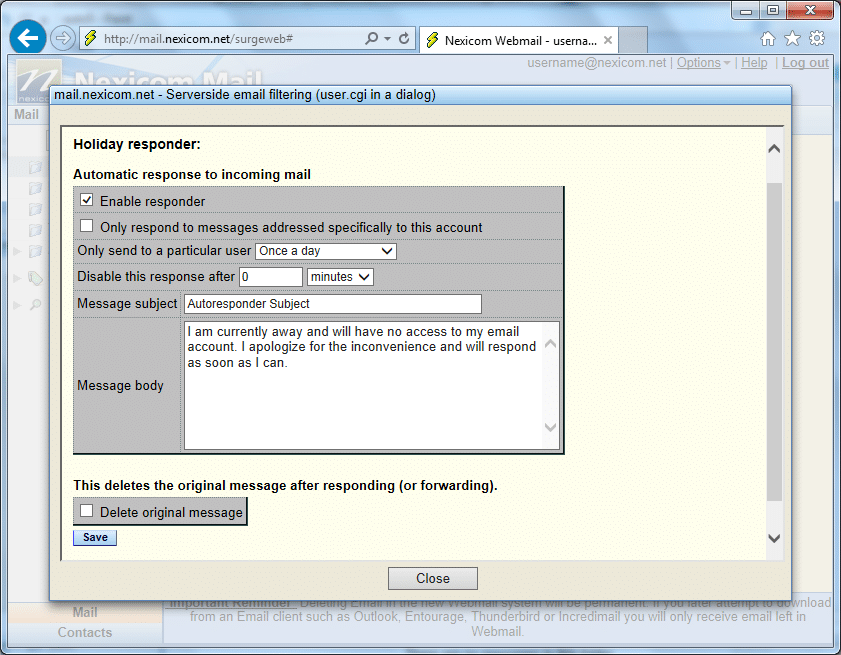
6. Fill in the fields with the corresponding information:

  • Message subject – A subject for your auto-response email. (whatever you type here will appear on all auto-response emails sent out while this is active)
  • Message body – A message for your auto-response email.

Click the Save button.

Note: You must click the Save button in order for these settings to take effect.
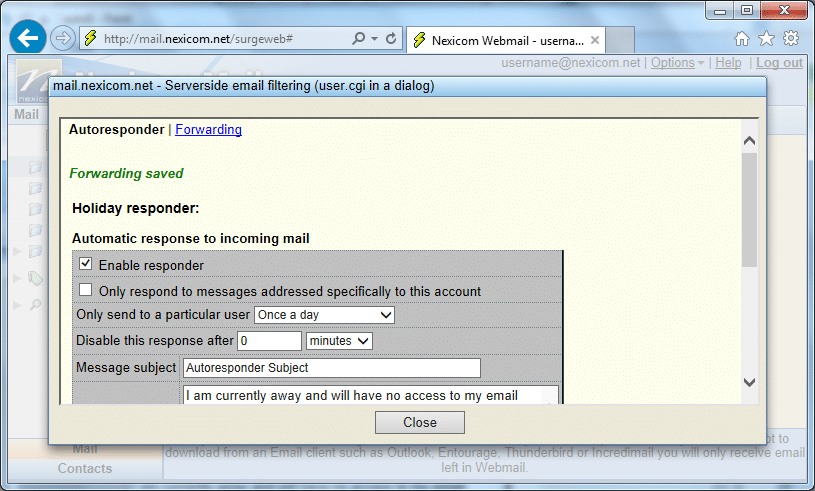
7. You should now see a message in green print that says Forwarding saved. This means that the responder has been saved and will now be sent out to anybody who sends you an email.

Click Close to exit this menu.

Note: If you wish to disable this responder in the future, remove the check mark from the box labeled Enable responder and click the Save button.

Please note: Customer Service will close at 4PM on Dec. 24 & 31, closed all day Dec. 25, 28 & Jan. 1.
Technical Support will close at 4PM on Dec. 24 & 31, closed all day Dec. 25, 26 & Jan. 1 and will be available 8AM - 5PM on Dec. 28.

Please note: Customer service is closed August 3th for the Civic Holiday. Our Technical Support is still available by phone from 9AM - 5PM.

Please note: Customer service is closed September 7th for Labour Day. Our Technical Support is still available by phone from 9AM - 5PM.

Please note: Customer service is closed October 12th for Thanksgiving. Our Technical Support is still available by phone from 9AM - 5PM.

Please note: Customer service is closed February 16th for Family Day. Our Technical Support is still available by phone from 9AM - 5PM.

Please note: Customer service is closed April 3rd for Easter. Our Technical Support is still available by phone from 9AM - 5PM.

Please note: Customer service is closed May 18th for Victoria Day. Our Technical Support is still available by phone from 9AM - 5PM.

Please note: Customer Service and Technical Support will be available from 8AM - 4PM on December 4th for a company event.

Nexicom will be closed on July 1st for Canada Day.